Four steps, and we do the heavy lifting
From first form to a live website taking bookings, without you touching a line of code or a hosting account.
Your customers see a website. You see your whole week.
Two sides of the same thing. The public side takes the bookings, the private side is where you run the show.
Your website: services, prices, photos, reviews, and a booking page that only ever offers times you are free.
Your dashboard: new requests to approve, today's run sheet, your calendar, saved customers and what the month has earned.
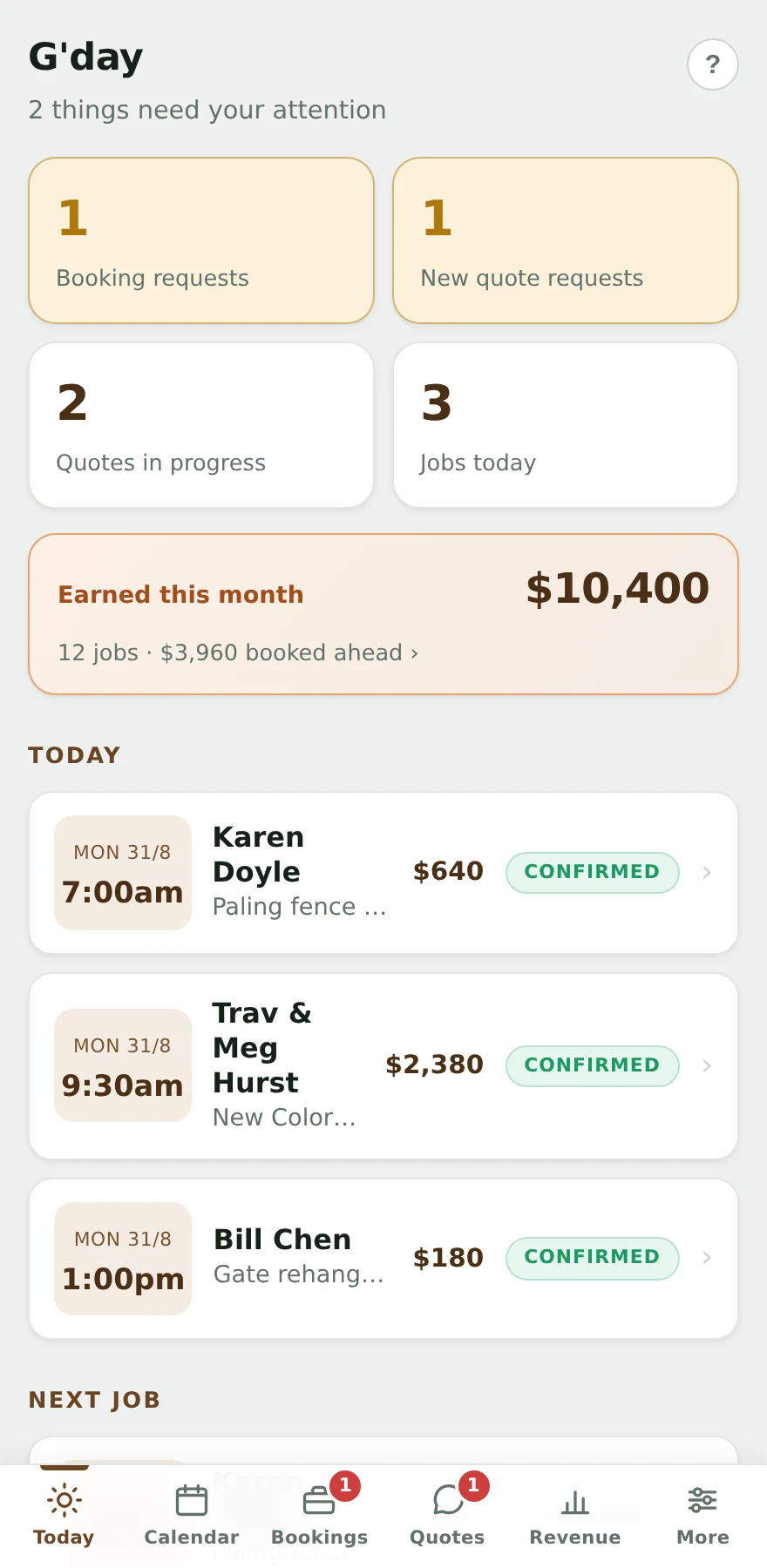
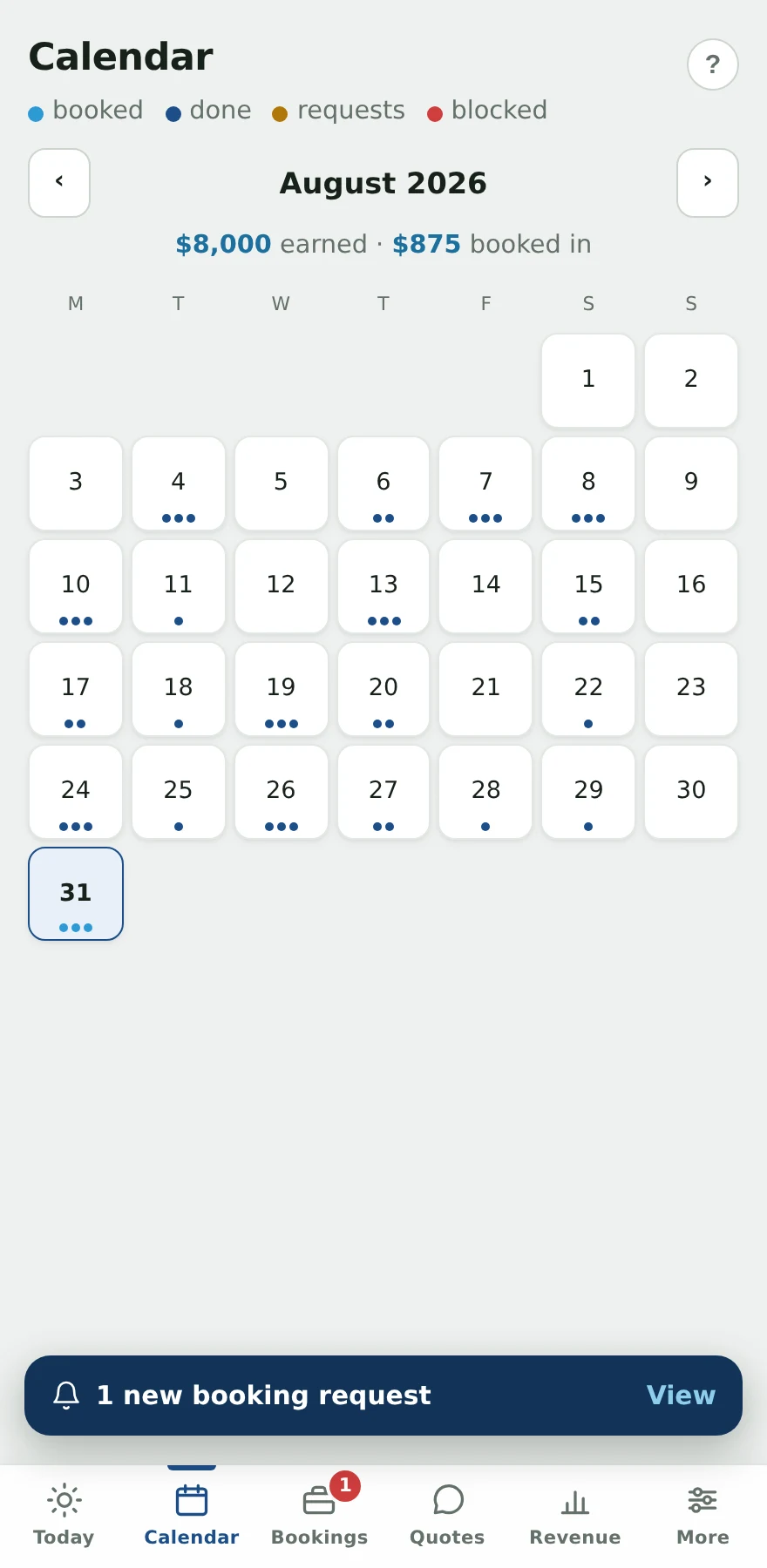
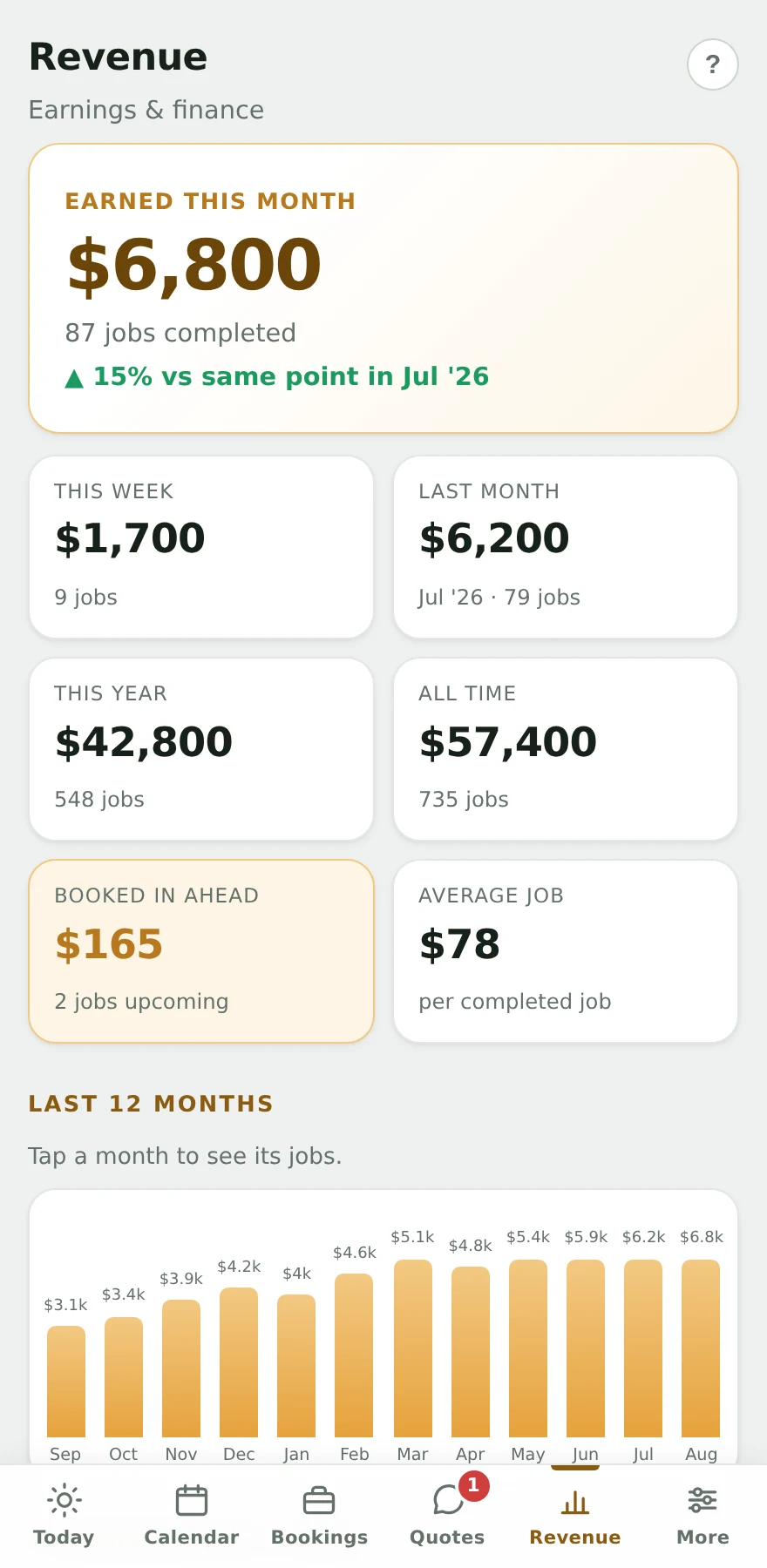
Three sample businesses shown. Yours is built in your colours, with your services and prices.
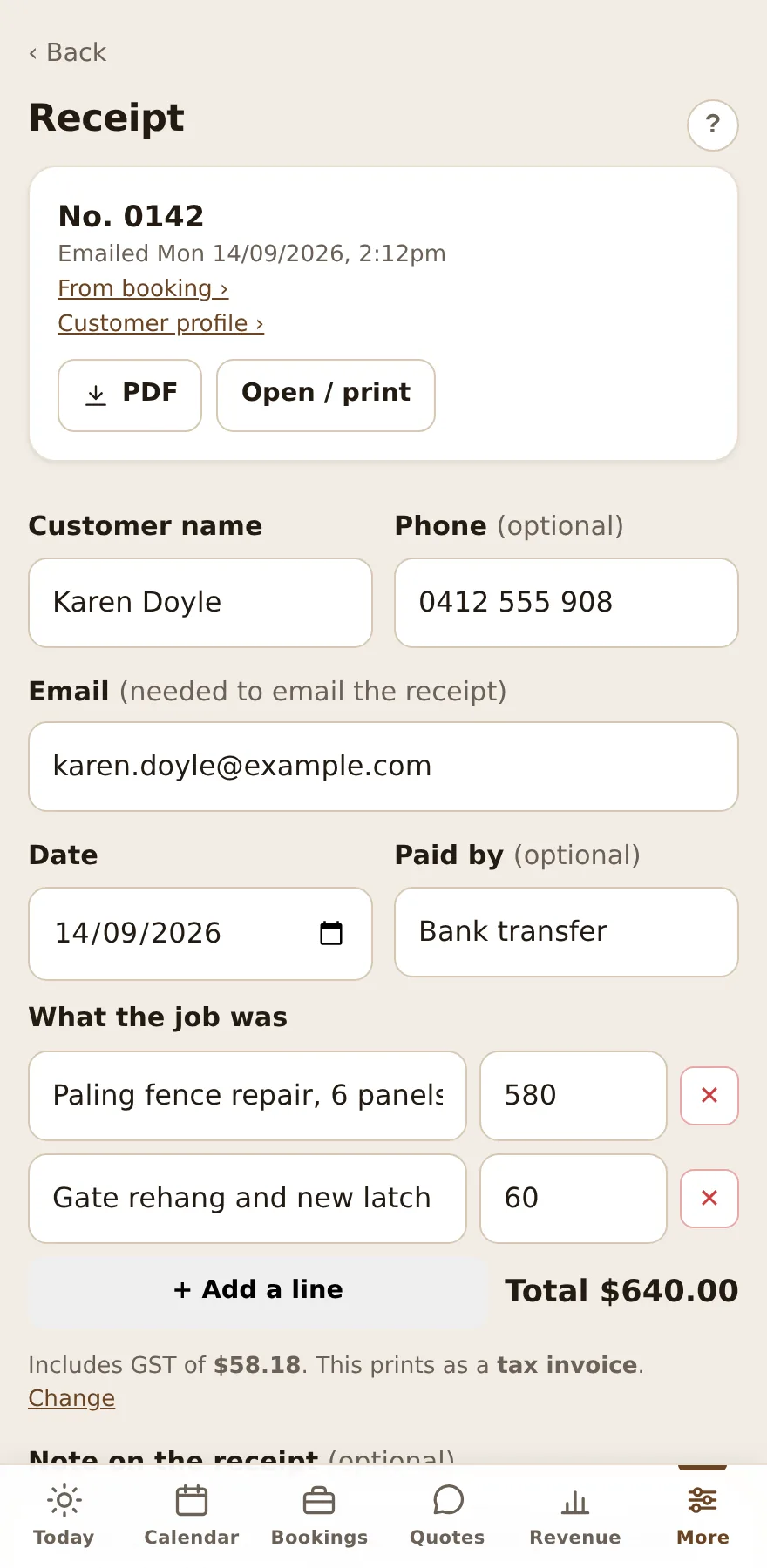
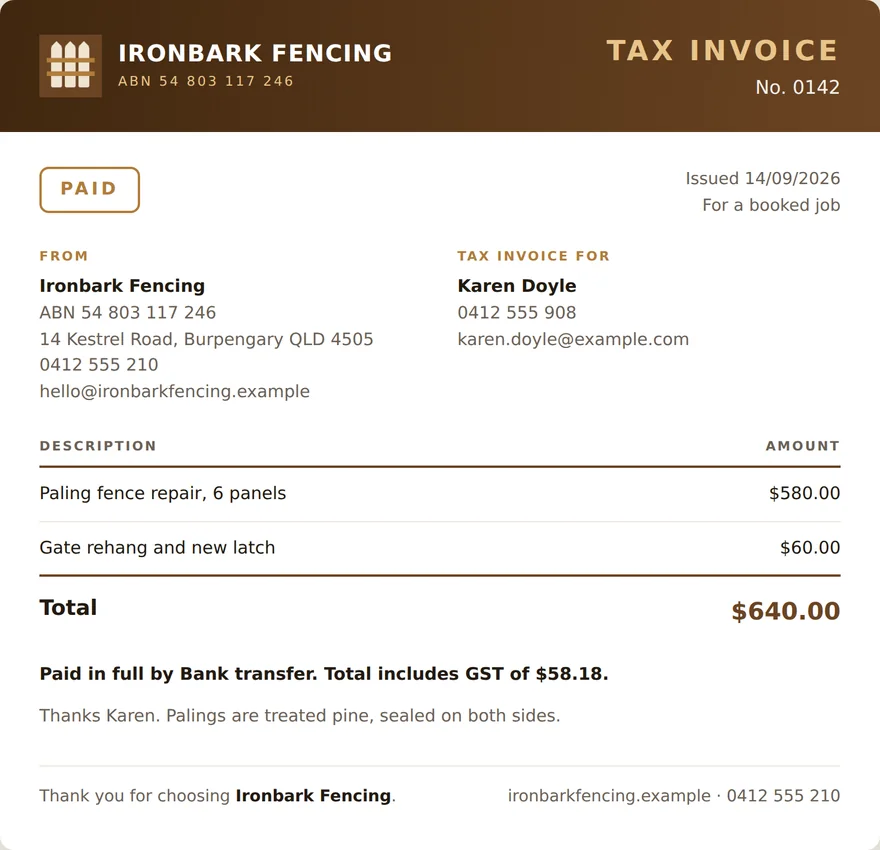
A receipt from any job, in a tap
Fill it in on your phone, and your customer gets the finished document by email with a PDF, or printed on the spot. Registered for GST? One tick in your settings and every document becomes a tax invoice with the GST shown.
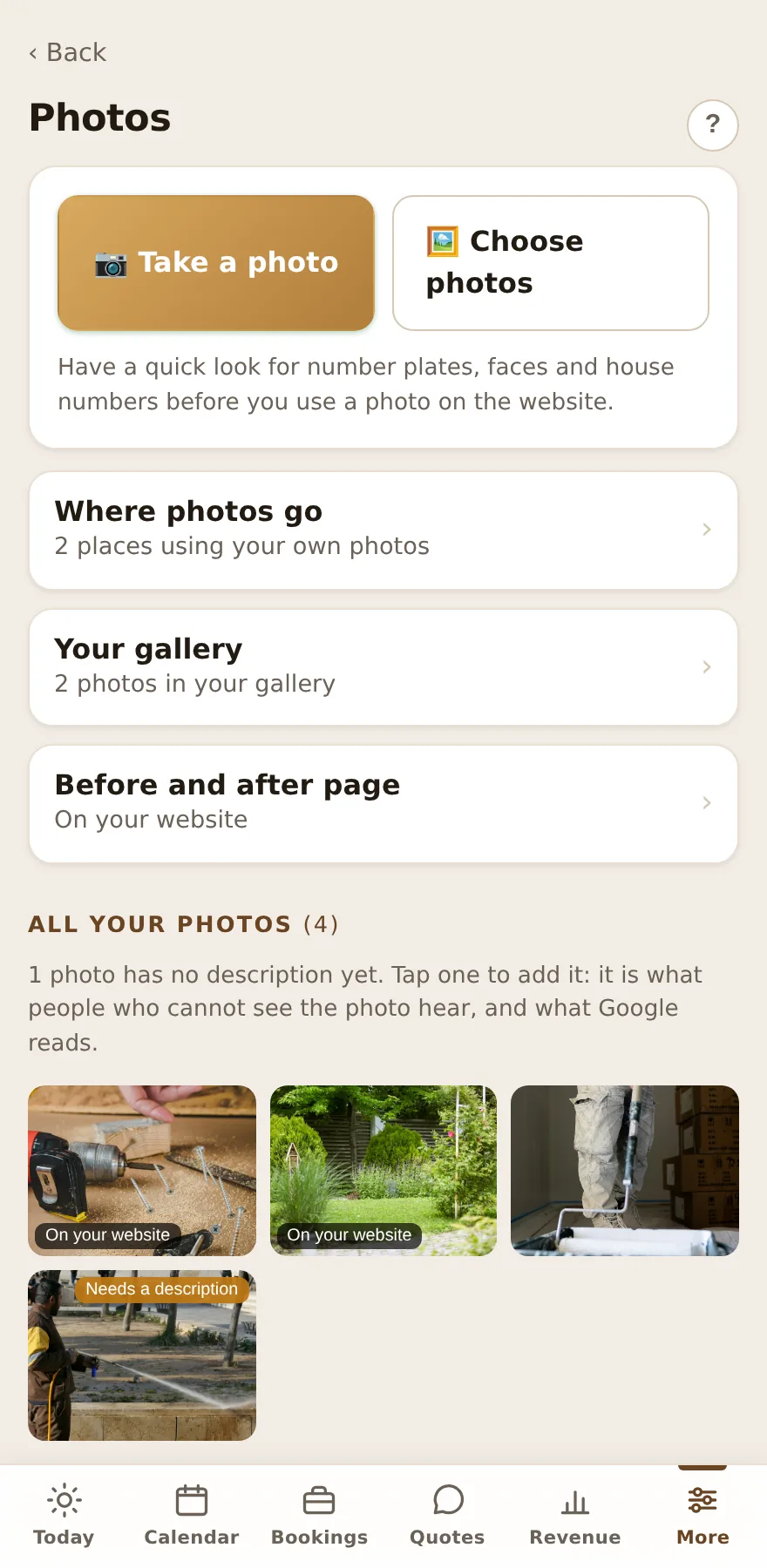
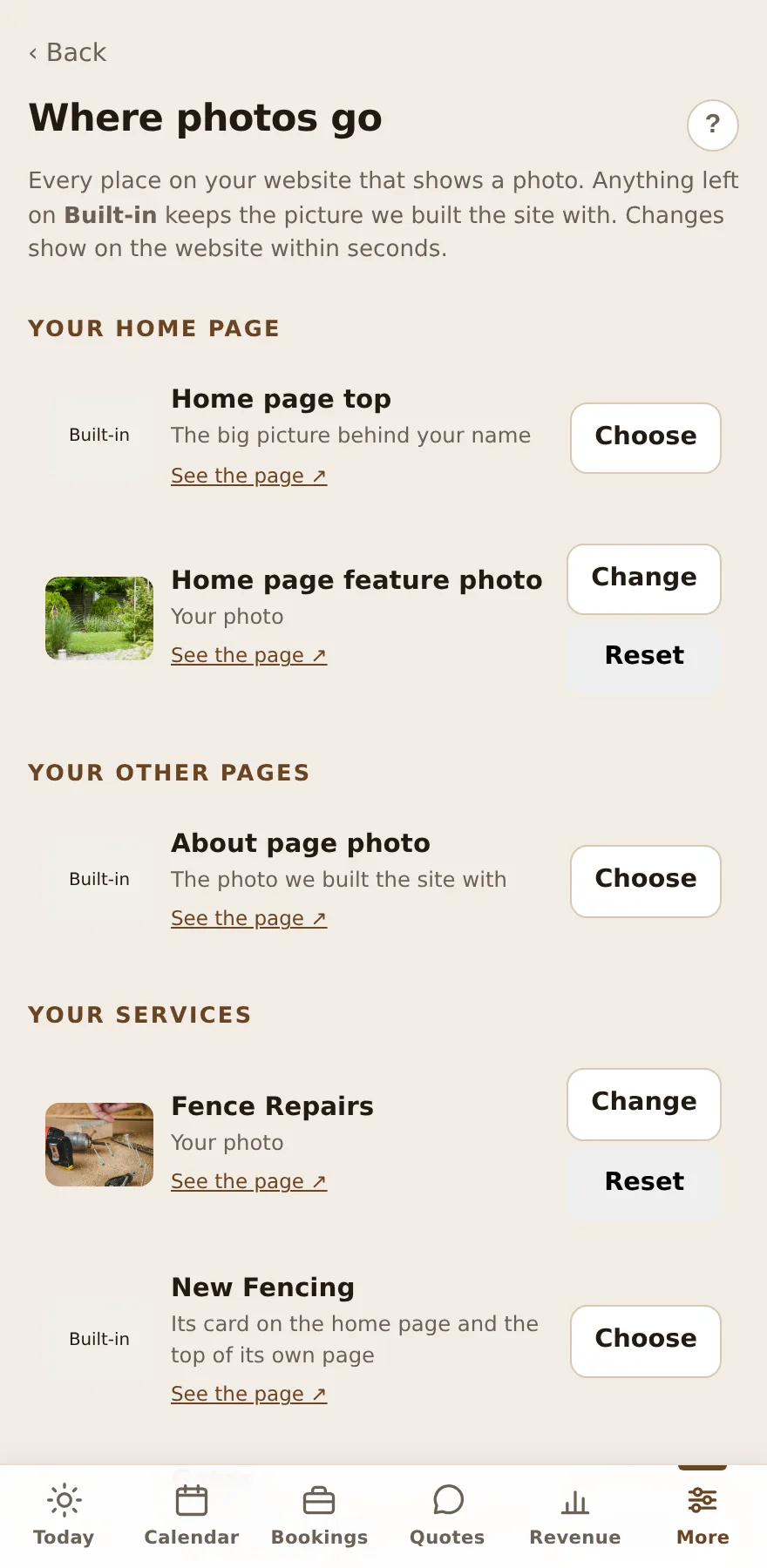
Your own photos, swapped from your phone
Every spot on your site that shows a picture is listed, and you choose which of your photos fills it. Take the shots on the job and they are live before you have packed up. There is a before and after page too, switched on when you have something worth showing.
What you can do from your phone
- Approve or knock back a booking
- Every request lands on your phone. Nothing is locked in until you say so.
- Move a job
- Reschedule in a tap, clash-checked, with an optional email to the customer.
- Call, text or email anyone
- Buttons on every booking, quote and customer card.
- See today's run sheet
- Who, where and what, in job order, with your next job up top.
- Run a quote from go to whoa
- Book the inspection, send the price, they accept by email, book the job in.
- Get nudged about the forgotten
- Unactioned requests wear a "waiting" badge, and an 8am email lists anything older than 12 hours.
- Block out time
- Holidays, school pickup, the dentist. Blocked time is never offered to customers.
- See the money
- Earnings on every calendar day, this month against last, and any job missing a price.
- Make a receipt
- Branded, numbered on from your old book, emailed as a PDF or printed. One tick turns them into tax invoices.
- Put your own photos on the site
- From the job itself. Choose which photo fills each spot, and switch on a before and after page when you have one.
- Find any customer
- Every job they have ever booked, and their receipts. Tap to call or text.
- Change your own settings
- Hours, prices, services and booking rules, live on the site in seconds.
- Look something up
- A guide with a search box you use the way you talk. Type "send a quote" and it opens the answer.
- Sell a gift card
- A set amount or a whole service, emailed as a branded PDF with its code. They enter it when they book and it comes off when the job is done.
- Export everything
- Customers, bookings and quotes as spreadsheets, whenever you like.
Day-before reminders, review requests, recurring bookings, promo emails and online payments are one-off add-ons, priced plainly on the pricing page.